

MODOLIKS / Game weather / Time
Easy Time
Your world. Your pace.
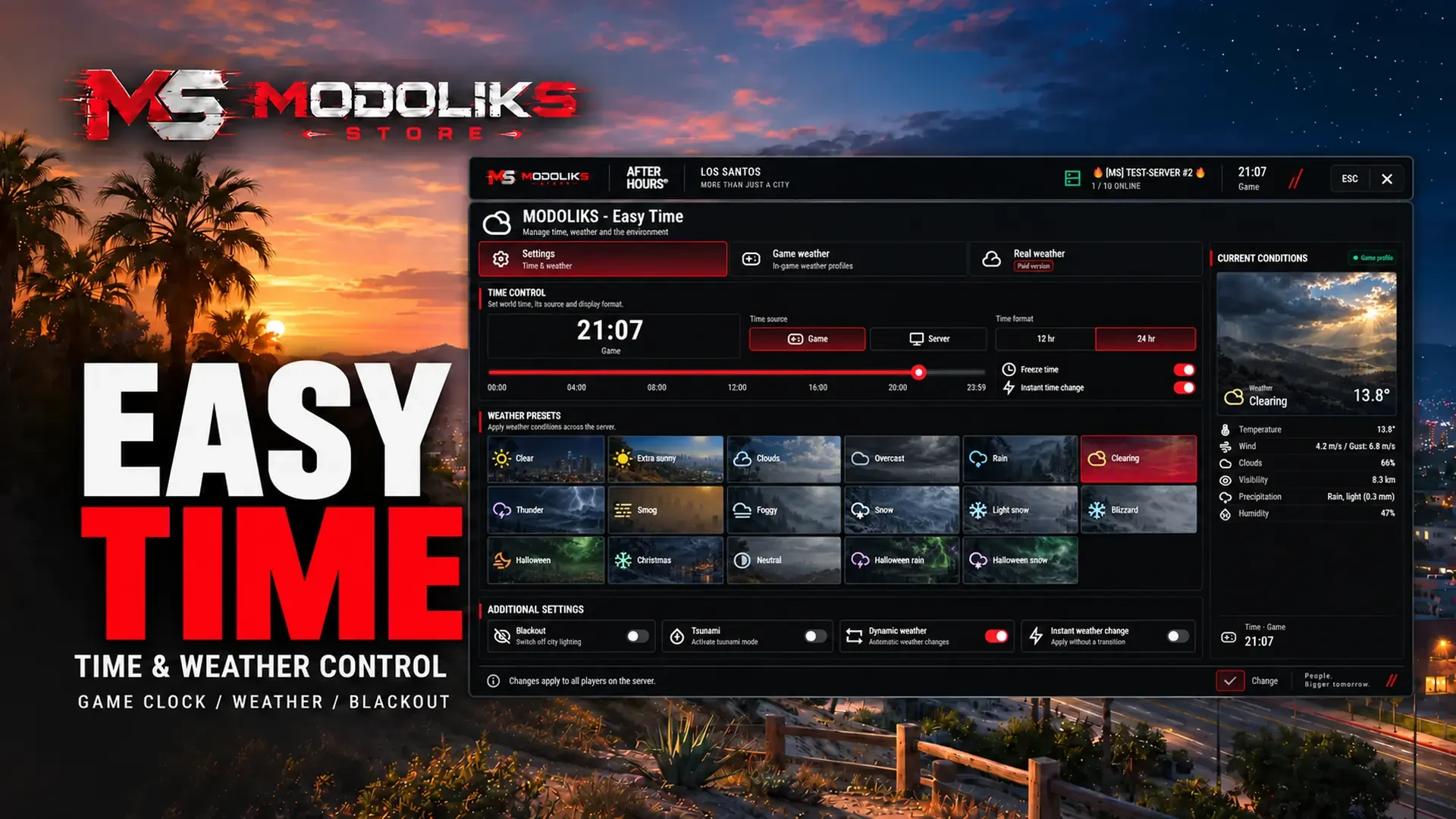
Set the mood of your FiveM server with MODOLIKS Easy Time. Control game weather, the clock and blackout effects from a clear administration menu, or let a configured weather cycle run in the background. Weather and time synchronize across the server, including players who join later.
01 / Features
▦ What you can do
01
Choose the sky
Choose from configured GTA weather presets, subject to game-build support, and use instant or smooth transitions. A weighted dynamic cycle lets you tune weather groups and change intervals to suit your server's atmosphere.
02
Control the clock
Set the time manually, freeze it for a scene, configure the game-clock pace or follow the FXServer host clock. Choose a 12-hour or 24-hour display. Host time uses the VPS or server machine's timezone.
03
Game conditions & forecast
View conditions generated for the game world, a local forecast, recent observations and warning cards. The interface puts the current state and upcoming changes together without requiring a weather API key. These conditions are generated for the game world; real-world city weather is available in Environmental Control.
04
Blackouts & storm warnings
Toggle city blackout and optional vehicle-light blackout. Configure a storm-warning sequence with rain, wind, lightning, a siren and optional blackout, activated manually or through a matching txAdmin scheduled-restart event. The warning does not raise water levels or restart the server.
05
Administration & persistence
Open the menu with the configurable command, /easytime by default. ACE permissions control access and action limits reduce repeated requests. Saved state and history keep configured information available across resource restarts.
06
Integration & localization
Use exports to read weather state, conditions, forecasts, history and alerts, or set weather and time from server scripts. Includes 31 UI and notification locale variants, automatic language selection and English fallback.
02 / Make it yours
◇ Configuration & localization
Editable settings
shared/config.lua
- Weather defaults: initial GTA weather, instant changes and smooth transition duration.
- Dynamic weather: cycle interval, named weather groups, selection weights, ordered weather sequences, thunder probability and extra selectable types.
- Game weather records: history recording, retained entries, forecast duration and forecast step interval.
- Simulated conditions: temperature ranges by weather type, wind-speed ranges and visibility ranges.
- Clock settings: game or server time, 12/24-hour format, default hour/minute, instant changes and game-time freezing.
- Clock progression: game tick interval, minutes per tick, server synchronization interval and client time-transition duration.
- Blackout: initial city-light state and whether vehicle lights are affected.
- Tsunami warning effect: availability, warning duration, siren repetition, storm weather presets, transition durations and warning blackout.
- Storm effects: weather enforcement and refresh, cloud preset/opacity/transition, rain intensity, wind speed and lightning interval/probability.
- Menu access: command name, ACE permission, console access and delay between player actions.
- Messages: notification visibility/duration and normal console output.
- Persistence: save and restore menu state/history and choose the state-file path.
Editable settings
locales/*.json
- Translations for notifications, weather names, command help and console messages.
Editable settings
ui/lang/locales/*.json
- Translations for menu labels, controls, weather details, forecasts, history and status text.
03 / Included documentation
▤ Instructions in the archive
Installation instructions are included in the resource archive.
README-ENG.md contains the English guide, and README-RU.md contains the Russian guide.
04 / Explore & ask
↗ Preview & support
Try the resource on our preview servers. For questions about the resource, configuration or your project, use the MODOLIKS forum or contact us on Discord.
Optimized scripts
Clean, optimized scripts tested in-game for reliable performance and easy setup. Check each resource for dependencies and installation details.
Tested GTA V game builds: 3095, 3258, 3407, 3570, 3751, 3889.
Resource localizations
The resource interface automatically uses the language configured for your server or framework. Included translations can be edited.
Delivery & support
Automatic Tebex delivery, documentation and Discord support are included with every purchase.
For installation help, include the resource name, your framework and the error message or steps that reproduce the issue. For access questions, include your order details.