
MODOLIKS / Safezones / Visual editor / Area management
Safezone Creator
Define the area. Set the rules.
Create and manage safezones directly inside your FiveM server with MODOLIKS Safezone Creator. Shape each area, choose its rules and give players a clear indication of their protection status. Build peaceful public spaces, hospital areas, vehicle showrooms or temporary event zones through one administrator menu. OneSync is required; no SQL database or third-party zone library is needed.
01 / Features
▦ What you can do
01
Build zones visually
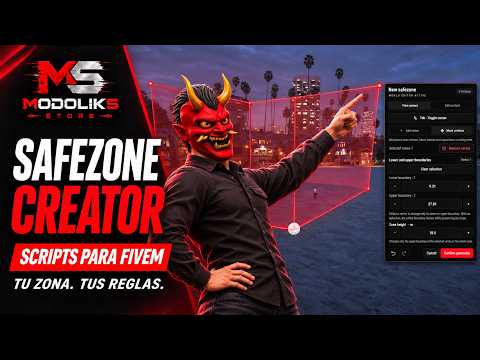
Create circles, rotated rectangles and custom polygons in a 2D workspace or directly in the world. Use a free camera or edit on foot, add and move vertices, adjust precise coordinates and undo or redo changes. Set the lower and upper boundaries independently, including individual heights at each polygon vertex, to fit slopes and areas with different elevations. Confirm world edits into your draft, then save when ready.
02
Protection & gameplay rules
Choose which actions are allowed in each zone: weapon selection, shooting, melee and drive-by attacks. Configure player or driven-vehicle protection, selective damage protection, health and armour recovery, movement and collision restrictions. Apply general or vehicle-class speed limits with gradual slowing. Entry delays, combat-free delays and protection after leaving help you control when protection starts and ends.
03
Rules for the right players
Create exceptions for individual rules using jobs, minimum grades, on-duty requirements or ACE permissions. Allow a department to perform its work without removing restrictions for everyone else. Organize zones by category and priority, and inspect the active rules at your current position. Administrator access can use framework permissions or ACE, while saved changes synchronize to connected players.
04
A clear zone indicator
Choose Panel, Minimal or Banner designs and decide whether to show the zone name, protection status and active rules. Customize icons, separate icon and accent colors, size, background opacity and animations. Use nine screen positions or drag the indicator into a custom position. Keep it visible until leaving or show it for a set time after entry. Entry and exit notifications, map blips and world boundaries are configured separately.
05
Scheduled & temporary areas
Activate zones on selected weekdays and time windows, including overnight periods. Choose a supported timezone or a fixed UTC offset. Set an expiry date to disable or delete a zone automatically, making the system useful for events and temporary restrictions. Developer exports also let authorized resources create temporary zones, update rules, check membership and react to entry or exit events.
06
Manage the whole catalog
Start with Peaceful area, Hospital, Vehicle showroom or Event area presets, then save your own. Duplicate zones, search the catalog and use batch actions to enable, disable, delete, export or copy selected settings. Transfer zones with validated JSON import/export and review or restore recorded changes through revision history. Local JSON storage includes write verification and rotating recovery copies, while revision checks help prevent administrators from overwriting each other's edits.
02 / Make it yours
◇ Configuration & localization
Editable settings
In-game menu & shared/config.lua
- Administrator access: open /safezones by default; configure the command, optional key binding, ACE permission and framework administrator access.
- Zone geometry: configure shape, coordinates, radius or rectangle dimensions, rotation, polygon vertices and independent lower/upper heights. Use zoom, fit, grid snapping and undo/redo while editing.
- Combat & damage: configure weapon, shooting, melee, drive-by and outgoing-damage restrictions; choose full protection or supported bullet, explosion, fire, collision and fall protection.
- Movement & vehicles: control sprinting, jumping, ragdoll, idle camera, stealth movement, ghost appearance, nearby ped/vehicle collisions and driven-vehicle locks. Configure speed limits, affected vehicle classes and slowing time.
- Recovery & protection timing: configure health recovery on entry or over time, armour recovery, amounts, intervals and limits. Set entry delays, combat-free delays and exit grace. Recovery does not revive dead players.
- Exceptions & overlaps: assign job, grade, duty or ACE exceptions to specific rules. In overlapping areas, one zone supplies the rules: highest priority, then smallest area, then identifier. Job exceptions require the corresponding framework data.
- HUD content & duration: show detailed information, a compact indicator or framework notifications only. Choose persistent display or a 1–120 second timer; toggle the name, protection status and rules where supported.
- HUD appearance: choose three designs and six icons; set icon/accent colors separately, size from 50–200%, background opacity from 10–100%, animation and animation speed. These settings are managed by administrators for all players.
- Placement & notices: select a fixed screen position or drag the HUD freely. Enable entry/exit notifications independently through the available framework notification system, with a native GTA feed fallback.
- Map & world display: configure optional map blips with sprite, color, scale and nearby-only visibility, plus visible world boundaries with a separate color and drawing distance.
- Schedules & expiry: configure weekly time windows, supported timezones or a fixed UTC offset, and automatic disabling or deletion at expiry.
- Catalog & storage: manage presets, duplication, batch actions, JSON import/export and history restoration. Configure zone and vertex limits, import size, history retention and rotating recovery copies.
- Integrations & runtime: use client/server exports and entry/exit events; allowlist resources that can modify zones or mark combat. Configure update intervals, entity checks, free-camera settings and administrator request limits.
Editable settings
locales/*.json & ui/lang/locales/*.json
- The administrator interface, editor instructions, zone indicator and resource messages support 31 included locales with English fallback. Language follows the server automatically. Edit the included JSON translations to suit your community; administrator-defined zone names and categories remain your own content.
03 / Included documentation
▤ Instructions in the archive
Installation instructions are included in the resource archive.
README-ENG.md contains the English guide, and README-RU.md contains the Russian guide.
04 / Explore & ask
↗ Preview & support
Visit our preview server page for connection details and the available resources. For questions about Safezone Creator, configuration or your project, use the MODOLIKS forum or contact us on Discord.
Optimized scripts
Clean, optimized scripts tested in-game for reliable performance and easy setup. Check each resource for dependencies and installation details.
Tested GTA V game builds: 3095, 3258, 3407, 3570, 3751, 3889.
Resource localizations
The resource interface automatically uses the language configured for your server or framework. Included translations can be edited.
Delivery & support
Automatic Tebex delivery, documentation and Discord support are included with every purchase.
For installation help, include the resource name, your framework and the error message or steps that reproduce the issue. For access questions, include your order details.