
MODOLIKS / FiveM store interior
24/7 Supermarket MLO
A familiar stop. A different feel after dark.
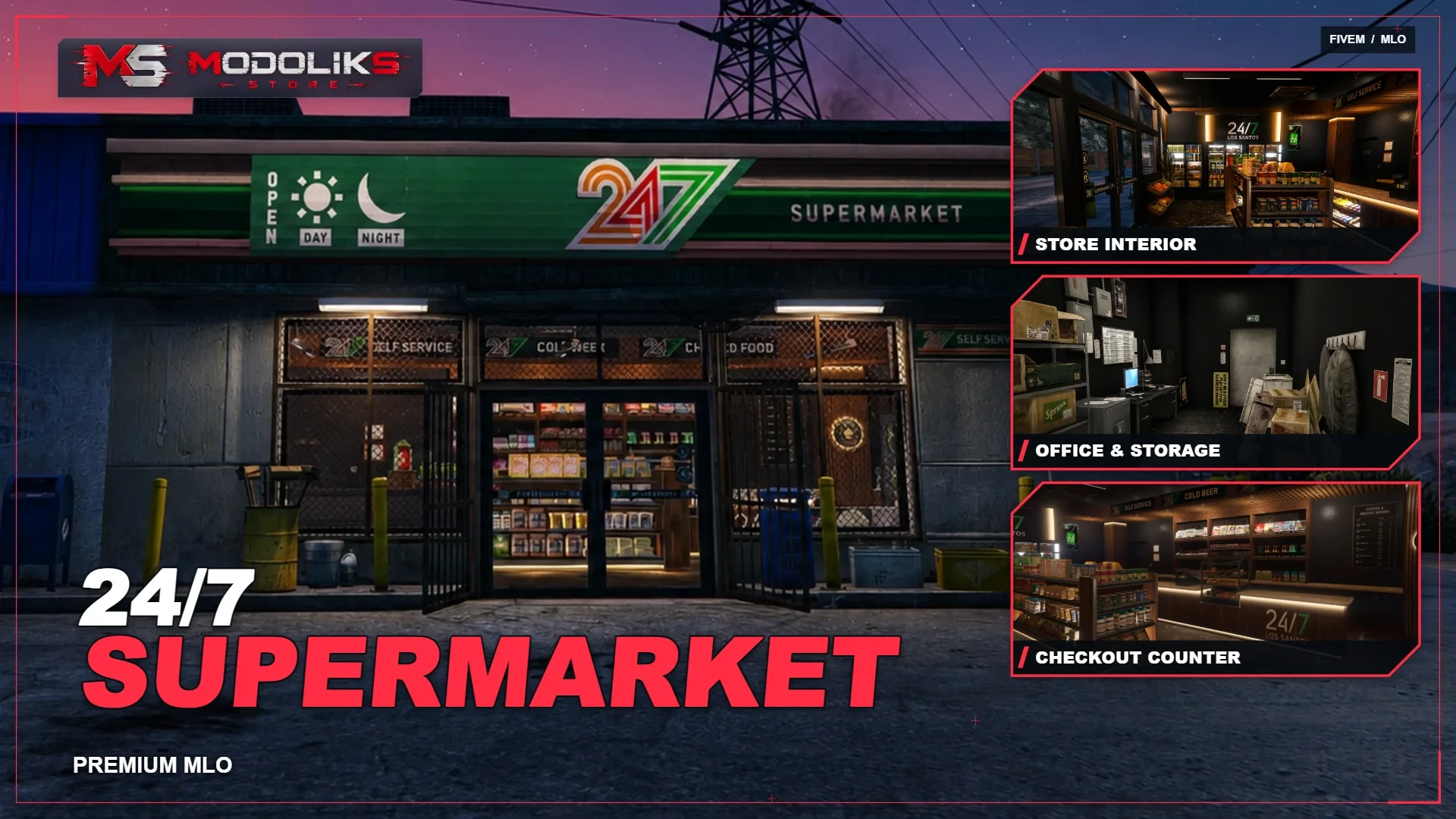
24/7 Supermarket MLO gives the familiar convenience store a warmer, more detailed interior for FiveM roleplay. Stocked shelves, illuminated refrigerated displays and a wood-finished checkout counter sit against dark walls and marble-patterned flooring. Behind the shop floor, an office and storage room adds the everyday clutter of a working business. Recognizable 24/7 signage ties the interior to the different storefronts shown in the gallery.
A place for your community
Just stopping in for a minute.
Someone needs a snack before the next shift. Someone is waiting outside for a ride. Behind the counter, a clerk is finishing the evening while a delivery sits in the back room. A quick stop becomes a conversation, a familiar face or the beginning of something unexpected. This interior gives those small moments a setting, from the shop entrance to the desk behind the staff door.
01 / Explore the resource
▦ Inside the 24/7
01 / Shopping area
Stocked aisles & refrigerated displays
Wood-framed shelves carry packaged groceries, snacks and everyday essentials, while bright refrigerated displays line the rear of the shop. A produce stand near the entrance and visible product labels make the space feel stocked rather than staged. Warm lighting along the shelving contrasts with the dark floor, keeping the merchandise at the center of the scene.
02 / Checkout area
A counter with its own character
A long checkout counter brings together wood finishes, soft underlighting and prominent 24/7 branding. A glass pastry display, magazine shelves, small goods and a coffee menu add detail around the service area. It is a natural setting for cashier shifts, customer questions and the conversation that lasts longer than the purchase.
03 / Office & storage
The other side of the shop
Behind the customer area, a compact back room combines a computer desk, filing storage, a safe and shelves of delivery boxes. Staff jackets, wall notices and a planning board give the room a practical, lived-in appearance. It provides a separate setting for management conversations, delivery scenes and the work that happens away from the counter.
04 / Storefronts
Different streets. The same familiar sign.
The exterior views show 24/7 storefronts set into different building styles, from street-level brick facades to standalone roadside shops. Large windows reveal the stocked interior, while illuminated entrances and recognizable supermarket signs make each shop easy to spot after dark. Benches, vending machines, protective grilles and street furniture vary between the locations shown.
02 / Resource overview
◇ Interior details
Design & atmosphere
A consistent look from entrance to counter
- Dark wall finishes, wood accents and marble-patterned flooring.
- Warm shelf and counter lighting alongside bright refrigerated displays.
- 24/7 signage, product displays and small retail details throughout the customer area.
- A separate office and stockroom with furniture, boxes and staff belongings.
Good to know
Environment & gameplay
This presentation covers the store environment and its furnishings. Shopping transactions, inventory, business ownership, safe interactions and robbery mechanics are included only when explicitly listed in the package contents. Use the interior as the setting for your community's retail roleplay and connect the gameplay systems appropriate to your server.
03 / Before installation
▤ Prepare your store setup
Review other resources that change the same stores.
Check for overlapping map replacements and review the positions of your existing shop, door and storage interactions. Test entrances, movement through the aisles and access to the back room before making the locations available to players.
04 / Explore & ask
↗ Preview & support
Use the product gallery to inspect the shop floor, checkout counter, back room and storefronts. Visit the preview server page for available demonstrations. For questions about supported locations, installation or your project, use the MODOLIKS forum or contact us on Discord.
Optimized scripts
Clean, optimized scripts tested in-game for reliable performance and easy setup. Check each resource for framework support, dependencies and installation details.
Tested GTA V game builds: 3095, 3258, 3407, 3570, 3751, 3889.
Resource localizations
Resource UI text is prepared for all supported store languages, so players can use products in their preferred locale where the resource includes translation files.
Delivery & support
Automatic Tebex delivery, documentation and Discord support are included with every purchase.
For installation help, include the resource name, your framework and the error message or steps that reproduce the issue. For access questions, include your order details.